C:\Windows\System32\drivers\etc\hosts
127.0.0.1 cap.cyberlink.com
127.0.0.1 activation.cyberlink.com
설치 전 이전 버전 설치하셨다면 기본적인 설치법과 레지 등록 및 코드 등록은
스샷도 첨부했지만 이미 알고 있을겁니다.
설치 전 이전 버전이 설치되어 있는 경우
모든 ProgramData, Roaming, Local 상의 기존 데이터를
백업해두고 삭제하세요. 아니면 필요없으면 삭제하세요.
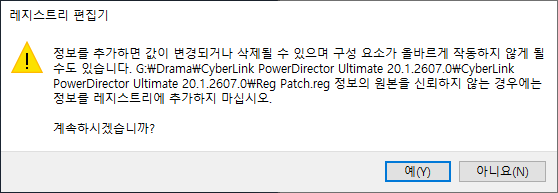
설치 완료 후 이 화면에서 실행하기 전에 Reg Patch.reg 실행
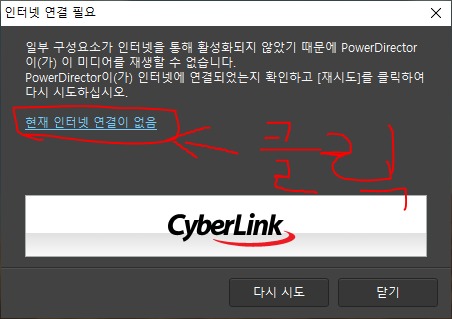
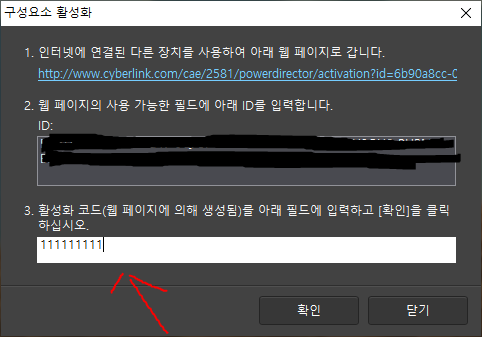
Add to your hosts file (by default: C:\Windows\System32\drivers\etc\hosts) these lines:
127.0.0.1 cap.cyberlink.com
127.0.0.1 activation.cyberlink.com
If you have done it before, skip this step.
1. If you installed with a pirated serial before, uninstall it completely. Delete all Cyberlink\PowerDirector20 entries in registry.
(If you installed PowerDirector Essential 20, delete it completely, that's garbage.)
2. Clean out all Cyberlink user folders in ProgramData, Roaming, LocalAppData.
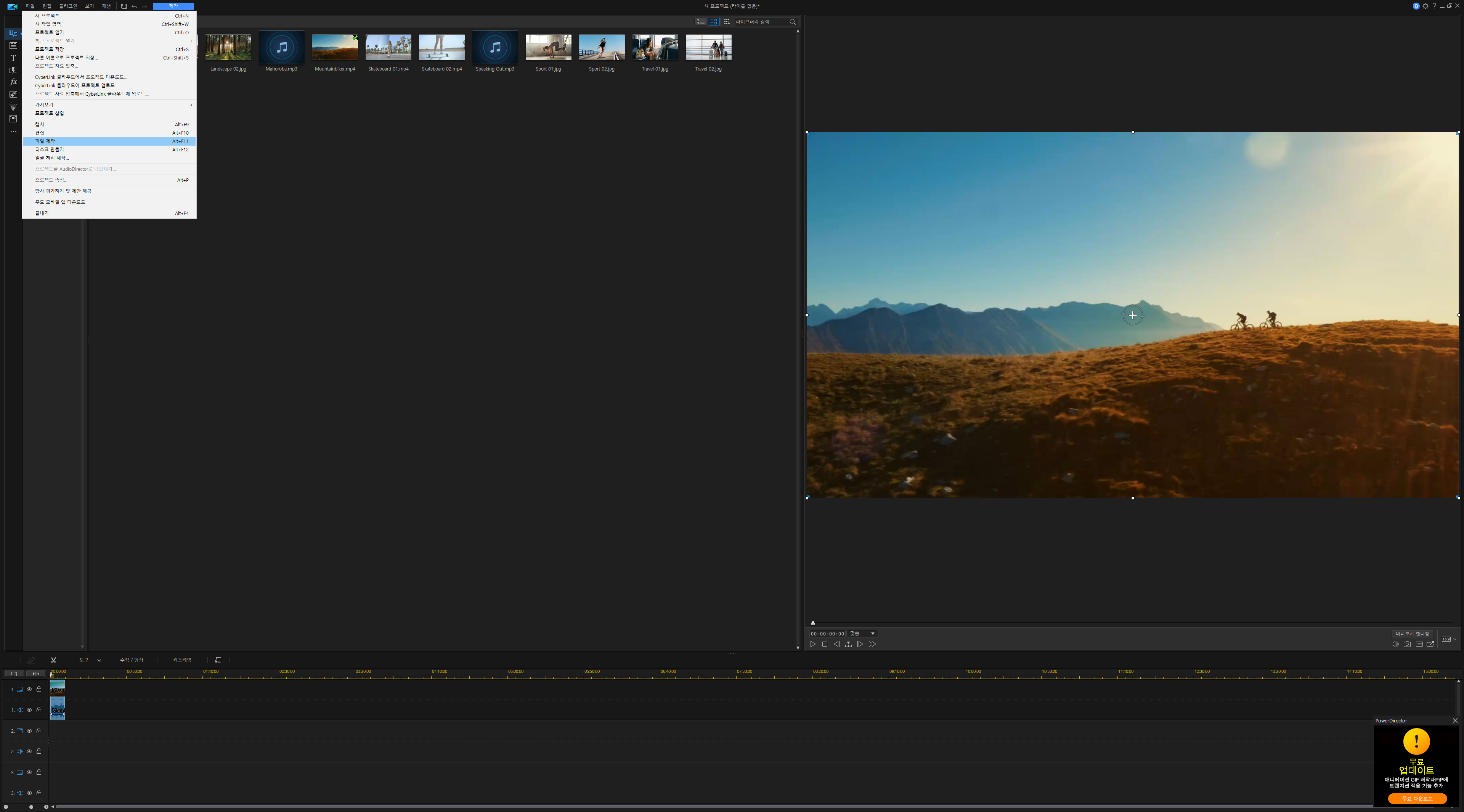
3. Install my pre-activated setup, after setup is done, close, but don't launch yet. Merge provided reg entry.
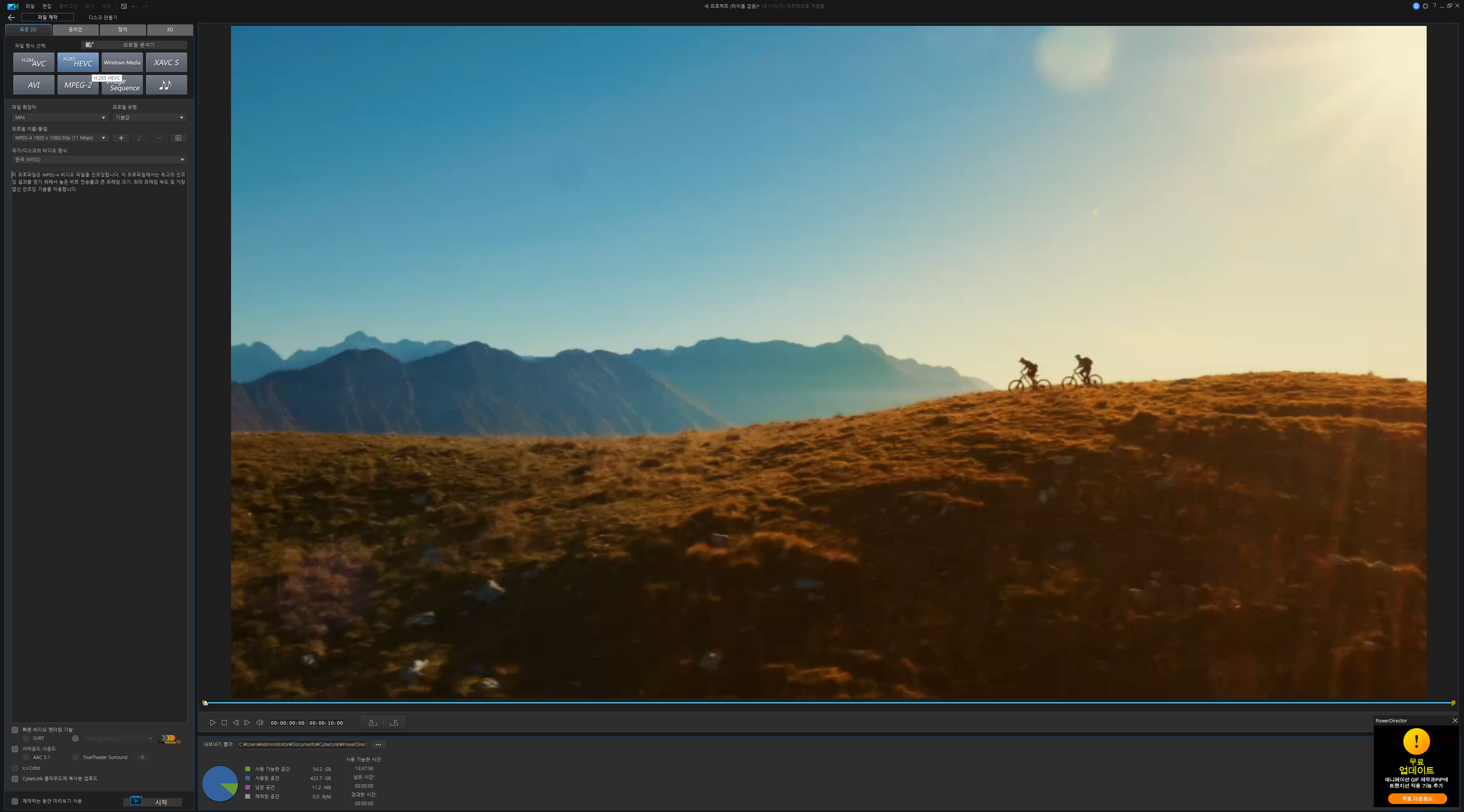
4. Open now, import MKV or MP4, go to Produce tab, choose H265, click start. If asked, You will have codec activation pop up, choose I don't have internet connection. Insert any numbers like 111111111, click OK. Codec activation done.
Changes:
* Created a better patching method. Eased codec activation process.
* All watermark and pirated copy messages are removed.
forum 댓글